

Solid-state drives or SSDs are the preferred storage option in modern laptops, gaming PCs, and business servers. The drives are faster, quiet, and reliable when compared to their predecessors, the HDDs. However, the fact that there are various models of SSDs means that their performance varies greatly. The reason behind different performance is whether a solid-state drive has DRAM on board or not.
The acronym DRAM refers to Dynamic Random Access Memory. Although specifications such as sequential read speeds are usually emphasized in marketing campaigns, the design of an SSD—whether it has on-board DRAM or not—is what really determines performance.
This article will explain what DRAM SSD is and how it works. We’ll also discuss what’s the difference between DRAM SSDs and DRAM-less SSDs and how the technology influences the performance of solid-state drives.
What Is DRAM in SSDs?
Understanding how DRAM works requires starting with how the information is stored in an SSD. An SSD uses NAND flash memory as opposed to a hard disk. However, the controller cannot just put the data in random spots and recall its location easily. Therefore, it needs to have some way of knowing the exact physical location of all files in the NAND memory and such a system is known as the Flash Translation Layer (FTL).
This is where DRAM comes in.
DRAM (Dynamic Random-Access Memory) is a relatively small amount of memory that is built into some SSDs. The primary function of DRAM is to store the mapping table which indicates the location of the data on the NAND chips. It serves as a reference map to allow the SSD to look for and move data faster as compared to reading the actual drive.
Most importantly, DRAM is not used as storage for your files. It is a volatile memory meaning it loses all of its contents when power stops being supplied to the system.
In essence, if there was no DRAM in an SSD, then the system would have to use alternative methods of managing the FTL.
Why DRAM Matters in an SSD
Despite its apparent simplicity, the inner workings of SSD are a rather complex mechanism where reads, writes, cache management, garbage collection, and wear leveling occur all at once in real time. And DRAM makes it possible for SSD to cope with that work much quicker.
Here are the four major ways how DRAM benefits SSD performance:
1. Quicker access to data
In case of a request for read/write by the SSD controller, consulting the high-speed DRAM lookup table helps in bypassing the high latency of checking the NAND flash, thus leading to increased speeds of random I/O operations.
2. Increased sustained write speed
Data writing to NAND flash involves complex background processing such as garbage collection, block wear-leveling, and data merging. The onboard DRAM serves as a buffer for these background tasks, avoiding drastic drops in performance during huge file transfers. DRAM is responsible for helping SSD controller in managing the writing process, thus increasing the speed of the latter and preventing sharp decreases in performance while transferring large amounts of data.
3. Improved multitasking performance
While using your computer, you usually perform multiple tasks simultaneously, for example, open applications, copy files, download updates, and so on. This allows SSD to better manage its load, and gives users better performance.
4. Lower wear of NAND flash
Due to the improved write management, DRAM manages to decrease unnecessary writes, which is quite significant since the program-erase cycle of NAND flash is rather limited.
In other words, DRAM makes SSD work quicker not only on some benchmarking tests, but also in real life.
Difference Between DRAM SSD & DRAM-less SSD
The easiest method to differentiate between these two types of drives is through data mapping.
DRAM SSDs
As implied by the name, DRAM SSD is one that possesses an integrated onboard memory chip. The purpose of this DRAM chip is to store the data mapping table locally and enable quick access to the necessary information. DRAM SSDs perform better at random and sustained write speeds.
This is the reason why such drives are usually preferred for high-end laptops, gaming PCs, workstations, and servers.
DRAM-less SSDs
DRAM-less SSD does not possess any dedicated onboard memory chip. The main difference here is that the lack of DRAM lowers the costs significantly. This type of drive is usually used for inexpensive storage solutions. The performance of DRAM-less drives is outstanding when the workload is bursty and light. However, once the pseudo-SLC buffer of such drives fills up while handling a hefty amount of data, the throughput for writing drops to single-digit MB/s levels.
This becomes especially noticeable while transferring files, performing big installations, or working with creative software or lots of random reads/writes. It is not to say that all the DRAM-less SSDs are bad – there are some drives that provide exceptional value due to optimization. However, generally, DRAM-less SSDs are affordable rather than fast.
What About Host Memory Buffer (HMB)?
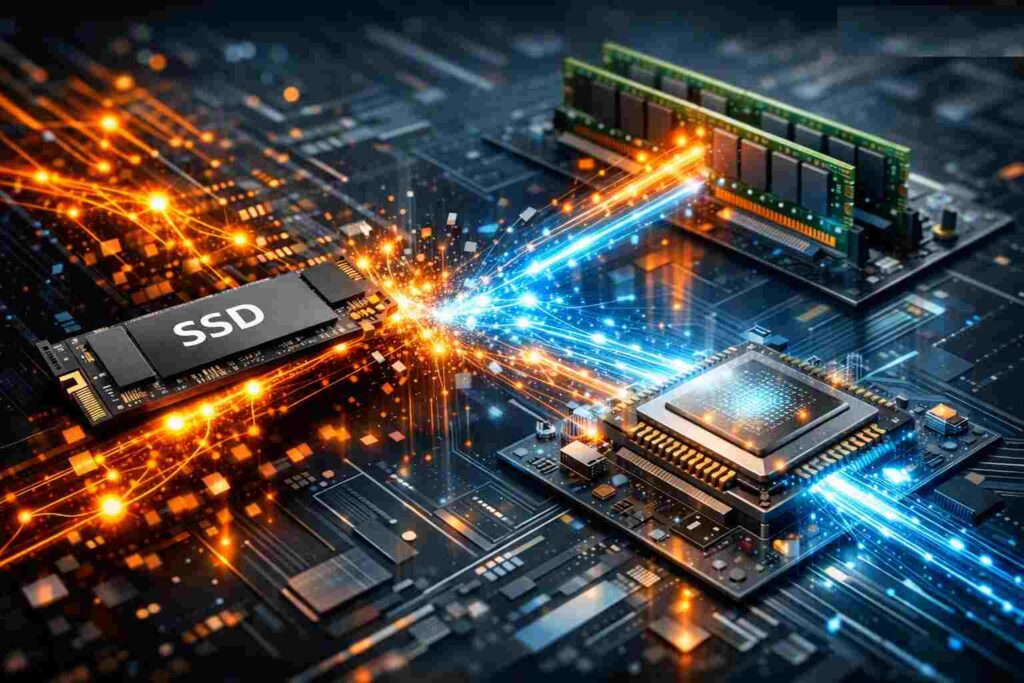
In order to improve the performance of such SSDs without DRAM, many contemporary NVMe drives make use of what is called the Host Memory Buffer (or HMB).
Using the HMB technology, an SSD can allocate a certain amount of the computer’s main memory to the task of mapping. Simply put, instead of having its own DRAM chip, the SSD is able to use some small portion of the computer’s RAM.
While that improves performance, it is still not comparable with a built-in DRAM.
Why? The thing is that HMB makes use of system resources and adds additional latency in the process of interaction with the host system. Due to the usage of the host system’s memory through the low latency PCIe connection, HMB is available only in NVMe drives. Old SATA drives, due to legacy SATA limitations on bandwidth, cannot take advantage of HMB, thus putting SATA drives at a significant disadvantage. SATA SSDs without DRAM have even less ways to compensate their drawbacks.
How DRAM Affects Real-World SSD Performance
While there are a lot of online benchmarks for SSDs, in reality what matters is how it works in your regular computer routine. DRAM can play a bigger role here than you expect.
Gaming
In games, storage speed comes into action when installing games and updates, loading shaders, maps and textures. The help of a DRAM-equipped drive can minimize lags and make loading patterns more stable. Whereas conventional game loading screens have not seen much difference between drive types, newer open-world games that leverage the DirectStorage feature require DRAM-based or HMB drives to ensure microstutter-free asset streaming.
When assembling a gaming computer and looking for the drive which will perform reliably in the future, getting a DRAM SSD is a safer move.
Content creation
If you edit 4K videos, deal with RAW photos, do game recording, or work with project files, DRAM becomes crucial. These processes consist of lots of reads and writes, usually involving large volumes of data. A DRAM SSD is more appropriate for sustained performance and exports.
The differences between DRAM and non-DRAM models become quite tangible in terms of time needed to complete a task.
Everyday usage
For simple tasks like surfing the Web, editing documents, watching videos, and using emails, a non-DRAM SSD can also feel fast enough when compared to a hard drive. System boot times may be decent, applications launch quickly, and usage is smooth.
However, with increased workload—e.g., with installation of programs in background while launching several applications—it becomes clearer which drives perform better.
Professional and business usage
On workstations, servers, or database-based systems, SSD consistency is as important as its maximum speed. Random I/O operations, sustained writes and low latency gain importance. DRAM-enabled drives tend to handle them better and more efficiently, with minimal lags.
If a system has to support business, creative work, or customer service, investing more money into a drive is reasonable.
Also Read: How to Find a Fake SSD Before it Corrupts Your Data
Are DRAM SSDs Always Better?
Usually, yes, DRAM-based SSDs do have better performance capabilities. However, just having better performance capabilities does not guarantee that the particular SSD will be a good pick for everyone.
Other aspects of SSD performance include, among others:
The quality of the SSD controller itself
The type of NAND flash employed
The firmware optimization
Cache implementation
Interface type, like SATA or NVMe
A properly designed DRAM-less NVMe SSD may perform better than an older SATA-based SSD with DRAM in many cases. That is why you should always look at all the aspects of your drive, not only one.
However, in the case of two otherwise equal drives, it is the drive with DRAM that wins.
Pros and Cons of SSDs With DRAM
However, before purchasing, it is important to evaluate the pros and cons of this technology.
Pro
- Improved random read/write speed
- Better consistency in high-speed file transferring
- Enhanced responsiveness while multitasking
- Better workload handling
- Better flash management and thus greater drive longevity
Con
- Expensive compared to DRAM-less counterparts
- Slightly increased power consumption in some instances
- Useless for very light work
In most cases, what really matters to consumers is whether DRAM is worth the extra cost.
Which SSD Should You Choose?
It’s necessary to choose different types of SSDs depending on how a computer will be used.
Choose a DRAM-less SSD if:
- You are looking for the most affordable option
- Most of the activities are web browsing, streaming, and using office applications
- You need an upgrade from the HDD but want something that works much faster and costs less money
- You don’t transfer many files and don’t need to use complex programs
Choose a DRAM SSD if:
- You play the latest video games
- You do video, photo, and audio editing
- You need to use virtual machines
- You need more consistent performance
- You care about being responsive when needed, not only about speed
For business and enterprise use
In case your environment needs performance consistency, reliability, and workloads, a DRAM SSD would be a better choice. In business systems, efficiency is more important than the difference in price.
Final Thoughts
Although DRAM takes up very little space in an SSD physically, it is a crucial component for the drive’s performance. DRAM can improve the SSD controller’s ability to organize data, improve write speed, multitasking capabilities, and provide better performance under load.
DRAM is not necessary if you have light workloads and limited funds as you can get by with a DRAM-less SSD, especially when opting for a new NVMe-based model with the Host Memory Buffer feature. However, if you need better performance consistency, real-world speed, and overall better operation, then getting an SSD with DRAM is a better option.
In conclusion, the key to selecting the correct solid state drive is ensuring that its design meets the demands of your work pattern. The best option to ensure that your experience is consistently smooth when it comes to OS drives, creative workstation, and intense multitasking is the DRAM-optimized drive, like the Samsung 990 Pro.
