


Not everyone has a Facebook account. Some deleted theirs years ago, while others never signed up to begin with but still wish to get information about a restaurant’s opening hours without providing their email to Meta. Facebook is one of the most closed archives on the web; however, by 2026, conducting a Facebook search without account credentials is quite possible. This is the reality of what you can actually find without an account.
- The 2026 Reality Check: The Login Wall Got Smarter, Not Taller
- Method 1: Let Google and Bing Do the Searching
- Method 2: Walk Through Facebook’s Own Unlocked Doors
- Method 3: Read the Archive Instead of the Page
- Method 4: Public Viewers, Handy But Read the Fine Print
- Method 5: Use a Human, or the Official Front Door
- The Bottom Line
- Common Questions
The 2026 Reality Check: The Login Wall Got Smarter, Not Taller
There were two developments that altered what you could find about Facebook without an account. First of all, on July 10, 2025, Meta gave Google, Bing, and other bots permission to index public content from the professional Facebook and Instagram accounts—descriptions, alt texts, bio information, location taggings, and the posts made since January 2020. In other words, external search engines became the strongest indexers that the non-users had at their disposal to explore Facebook content. Then, on June 15, 2026, Meta introduced the AI mode in its search bar with content based on the public Facebook and Instagram posts and Groups.
Method 1: Let Google and Bing Do the Searching
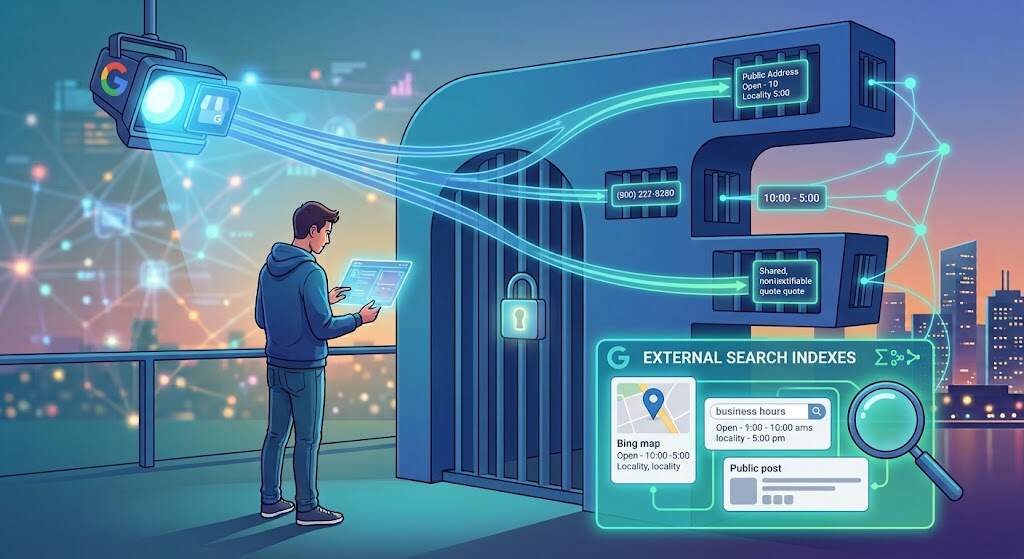
Forget Facebook’s internal search; start where the data is actually indexed: Google and Bing. First, enter “Ayesha Khan” site:facebook.com. To narrow down your search further, you can enter the city, company name, or university name; for classifieds, search “site:facebook.com/marketplace”. Bing provides previews of pages while Google hides them. DuckDuckGo strips away personalization if you search Facebook while not being logged in. From 2025 onwards, it is possible to get a page in Google related to sourdough bread advice from a bakery without ever visiting Facebook.
Method 2: Walk Through Facebook’s Own Unlocked Doors
Direct Page URLs (facebook.com/pagename) tend to work even for guests, and the old alphabetical directory from facebook.com/directory/people works just fine too. There is something special about Facebook Marketplace: guests are allowed to explore and search for listings, and, as mentioned by How-To Geek, the wall is not visible until you communicate with a seller or list something yourself. A visit to Facebook Marketplace without login is perfect for price researching but is not recommended for purchasing. The old-school trick still works: there is an “x” in the popup window, use that one instead of refresh, it will bring you back to the top.
Field Notes: What Non-Users Really Face
People who are trying to find some person on Facebook without account face the same obstacles. At r/uBlockOrigin, someone who is a non-user said about the dismissible prompt which started popping up in the middle of scrolling without any close button. Meanwhile, at r/facebook, one commenter said that “there’s no anonymous browsing anymore,” and another one said about a direct Page URL which worked just fine.
Method 3: Read the Archive Instead of the Page
A search on Facebook without creating an account will eventually lead to the login screen; hence, find a way to avoid it. Just input the web address in the Wayback Machine, and you will be able to view everything without logging in: posts from way back when, phone numbers, event details, everything before the wall became a reality.
Method 4: Public Viewers, Handy But Read the Fine Print
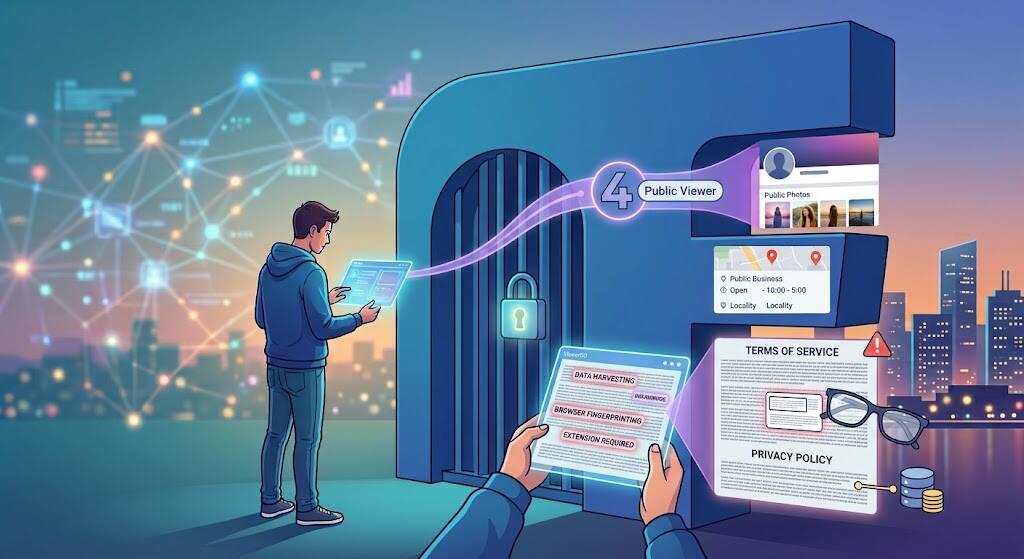
Viewri, Faceb, and Vieweno tools fetch all the photos, Reels, and posts from the public profile by merely copying a link. A Facebook public profile viewer can only access information that is publicly available, as per their FAQs. Accessing any private post, friend list, or messages will be nothing but a data collection scam masquerading as a Facebook public profile viewer. My thumb rule is easy—any site requiring you to log in, verify your email address, or install an extension needs to be closed immediately.
Method 5: Use a Human, or the Official Front Door
The least glamorous but certainly the most effective: the guaranteed way to find people on Facebook without having an account oneself is a person. Have a buddy make a screen capture of reviews of the plumber or the closure announcement at the school. It’s exactly the same information for businesses, but it can be found on the site, Google Business Profile, or WhatsApp. Scientists use the Content Library and API of Meta, where one can search public Pages for keywords—legitimate option to what shady observers promise.
Also Read: EmbedTree Guide: How the Social Media Hub Works
The Bottom Line
Facebook is no longer a social network for outsiders to explore; it is a site where they seek information externally. Start with the search engine operators, since Meta’s indexing change as of 2025 has given logged-out users the most powerful index yet. Failing that, go for the Page URL and Facebook Marketplace, unauthenticated, before resorting to the Wayback Machine once the on-screen notification gets the better of you. Consider viewer utilities merely convenient rather than as proof, and avoid anything promising confidential information.
To access Facebook in anonymous mode, do all of the above in a private browser window. And a Facebook search without an account will give you everything but a feed, tracking, and login credentials, which an account provides. When a Page does not open, there is one ancient method still reliable: ask a person.
Common Questions
Is it legal to check Facebook without an account?
Absolutely yes. Publicly available information is legal to use. Privacy settings, bulk scraping, and other methods like using borrowed account violate policies and rules.
Is it possible to view private posts while visiting Facebook profile?
No. Posts with visibility setting ‘Friends only’ are not accessible in any way. No program, person, or service can change this rule.
Why do some Pages work, while others require logging in?
Settings of the Page, restrictions based on geographical location, age of the user, and rate limit from Meta affect how Pages function. It may be useful to check another browser, mobile connection, or archived version of the page.
Will the person see my visit?
Facebook won’t notify you of visits. Still, IP and browser fingerprint will be registered. Private mode without any actions can be the closest to anonymous browsing on Facebook.
Is it possible to send a message on Facebook Marketplace without having access to the account?
No. While you can browse it freely, it’s impossible to contact via message. Try to ask a friend to send a message or find another place to contact the seller.
Editorial note: This original guide uses current Meta and Google documentation. Examples are illustrative; no customer quote has been fabricated.
