

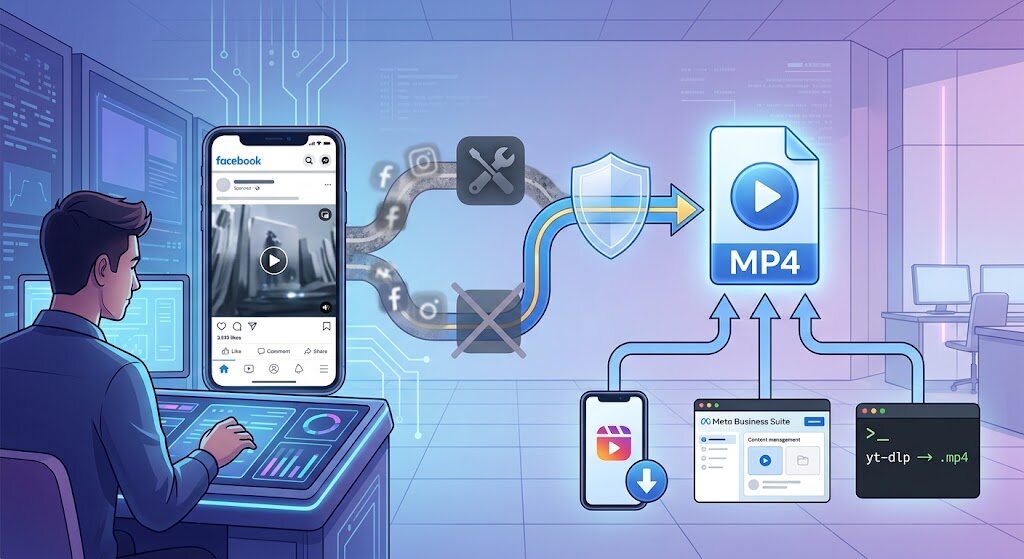
Ask ten people how to save a clip from Facebook and you’ll get ten different answers: a random website, a browser add-on, a screen recorder, or the old “just right-click it.” Most of that advice is outdated, and some of it is genuinely risky. Here’s what actually works today for facebook video download, what “no watermark” honestly means, and the traps people fall into along the way.
First, the Truth About “No Watermark” Nobody Explains
Facebook does not stamp its own logo onto native videos. So if a clip shows a bouncing TikTok handle in the corner, that mark was burned into the pixels by the original creator before upload — no tool can peel it off. Anything promising to “remove” it just crops or blurs, which wrecks the framing.
In practice, “no watermark” means one thing only: the tool you use shouldn’t add its own branding. A trustworthy facebook video downloader simply hands you the same MP4 Meta’s servers are already streaming to your screen. That’s the bar. Nothing more.
Method 1: Try Facebook’s Built-In Download Option First
This is the cleanest route, and it’s the one most guides skip because there’s no affiliate link in it.
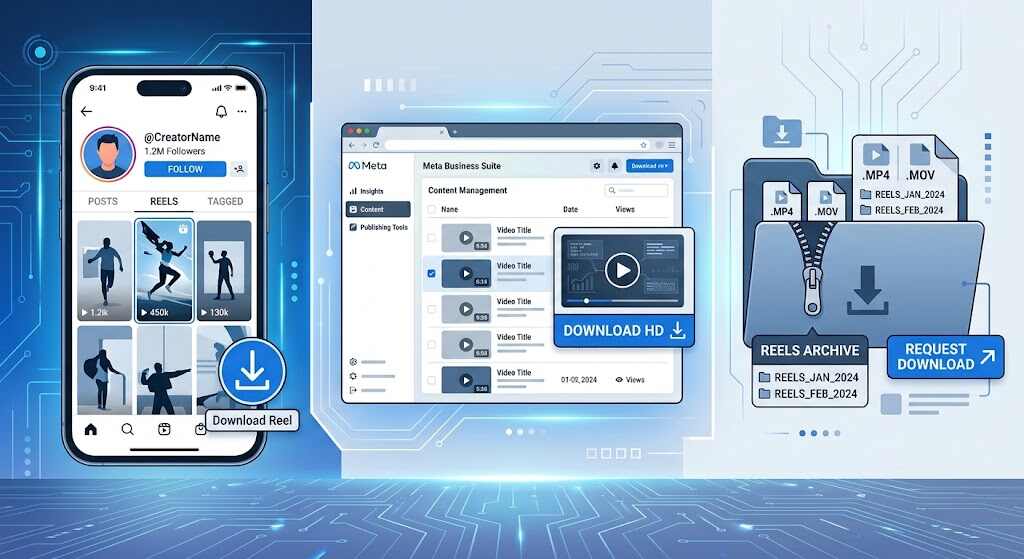
- Your own reels: Open the Facebook mobile app → tap your profile picture → Reels tab → select the reel → Options → Download reel. Meta confirms this works for reels posted after September 2025 and is not available on desktop.
- Page or business content: Go to Meta Business Suite → Content → Posts & reels → Options → Download SD or Download HD.
- Everything at once: Use Export your information in Accounts Center. Meta gives you four days to grab the archive once it’s ready.
If the Facebook download video option appears, use it — you get the original file, full quality, zero third parties.
Method 2: Copy the Link, Paste It, Save It
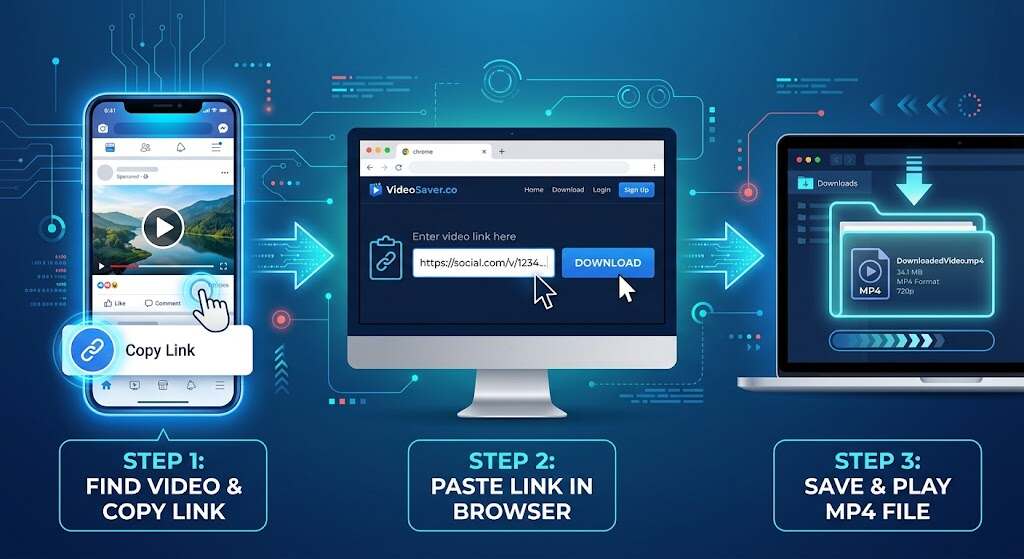
For public posts from other people, the copy-paste route is still the fastest fb video download method on any phone.
- Tap the three dots on the post (or Share) → Copy link. On desktop, open the video and copy the URL from the address bar.
- Copy it to the downloader website and click Download.
- Pick your quality — choose HD if it’s offered; SD files look soft on a big screen.
- Save to your device, then rename the file immediately. Downloads arrive as random number strings and become unfindable within a week.
Two things to watch. First, oversized “DOWNLOAD” buttons that are actually ads — the real link usually points to an fbcdn.net address. Second, any site that asks you to install an .exe, a “codec,” or a player. Close the tab. Legitimate sites never need software to download Facebook video files.
Method 3: yt-dlp, What Heavy Users Actually Run

People who save clips daily skip websites entirely and use yt-dlp, the free open-source downloader:
yt-dlp --merge-output-format mp4 "https://www.facebook.com/watch/?v=VIDEO_ID"Add -F to list available resolutions, or --cookies-from-browser firefox to reach group and private videos your account can already view. No ads, no upload caps, no mystery redirects — just a command that returns the source file.
What Really Goes Wrong: Lessons From Actual Users
“I can’t even download my own videos anymore.” A Facebook user posted exactly that in October 2025 after Meta converted their uploads into reels and the download button disappeared from desktop. The workaround: use the mobile app’s Reels tab, or pull older clips from the export tool.
Silent downloads. One long-running downloader’s own FAQ admits that videos containing copyrighted music frequently return with no audio, and points users to a separate conversion path as the fix. It’s not your phone — it’s rights filtering on the stream.
The extension trap. A January 2025 wave of compromised Chrome add-ons included one named “VidHelper – Video Downloader,” and security researchers have documented how routinely store listings harvest browsing data. An extension sees every page you open. A website sees one link.
The dead right-click. Old forum advice still says “right-click → Save video as.” Facebook now serves adaptive, chunked streams, so on most posts that menu item simply isn’t there.
Where the Legal Line Sits
Saving a public clip to rewatch offline is ordinary personal use. To re-upload somebody else’s video as yours is not. Facebook is blunt that you can infringe copyright even if you credited the creator or recorded the content yourself. A two-line message asking permission works surprisingly often.
FAQs
Is facebook video download legal?
Downloading public content for personal, offline viewing is generally accepted. Redistributing, monetizing, or reposting it without permission is copyright infringement.
Can I download private or group videos?
Web tools can’t — they have no access to your session. yt-dlp with a --cookies-from-browser flag can, but only for content your account already sees.
Why does my downloaded video have no sound?
Almost always licensed music being stripped at the source. Try a different quality or tool; some offer a separate audio-merge option.
Will the uploader know I saved their video?
No. Facebook sends no notification for downloads — only for likes, comments, and shares.
Does fb video download work on iPhone?
Yes. Use Safari, paste the link into a downloader, and choose “Download Linked File.” It lands in Files, then move it to Photos.
The Bottom Line
The best method isn’t the flashiest site on page one of Google — it’s the one that gets you the original file with the fewest strangers in the middle. Start with Facebook’s own download video tools for anything you posted. Use a clean copy-paste downloader for public clips. Move to yt-dlp if you’re saving in volume. Skip extensions that want permission to read every page you visit, treat “watermark remover” promises as marketing noise, and ask before you repost. Do that, and free Facebook video downloads stay exactly what they should be: fast, clean, and completely uneventful.
