

To complete the Delta Math login, go to the official DeltaMath website, click Login, and use the sign-in method assigned by your teacher or school: student account, teacher account, Google, Clever, or ClassLink.
Use the Official Delta Math Login Page
The safest Delta Math login path starts at DeltaMath.com. Do not enter your username, password, or school email on copycat pages or shortcut sites. A guide should direct access; it should never collect credentials.
Students log in to view assignments, complete practice, review feedback, and track progress. Teachers log in to create classes, assign work, manage students, and reset passwords.
Choose the Correct Login Path
DeltaMath access depends on how the account was created. A student using a class code may not use the same route as a student whose school uses Google, Clever, or ClassLink. The wrong route causes failed logins, duplicate accounts, and missing assignments.
| User Type | Correct Action | Common Mistake |
|---|---|---|
| New student | Register with class code | Logging in too early |
| Existing student | Use current account | Creating duplicate account |
| Teacher | Use teacher login | Sharing teacher access |
| SSO student | Use Google, Clever, or ClassLink | Resetting wrong password |
| Parent | Check teacher instructions | Creating unmanaged account |
Ask first: Did your teacher give you a class code, registration link, or school login button? That answer determines the next step.
Delta Math Student Login Steps
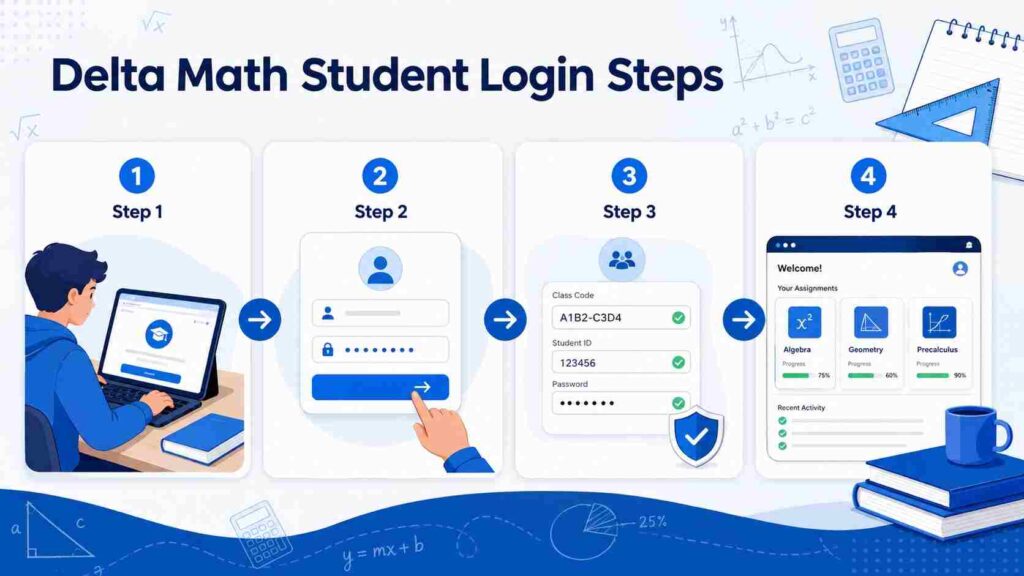
Go to the official DeltaMath website and select Login. Enter the email, username, or school sign-in method connected to your account. After login, open the dashboard and check the active class.
If no assignments appear, do not assume DeltaMath is down. You may be in the wrong account, wrong class, or old course. Confirm the class name, teacher name, and due date first.
Do not create a new account because work is missing. Duplicate accounts make grades harder to track and may stop the teacher from seeing completed assignments.
Register With a Class Code or Teacher Link
New students usually need a class code or registration link from the teacher. The code connects the account to the correct course, teacher, and assignment list. Without that connection, login may work but the dashboard may stay empty.
Enter the class code exactly as provided. Check letters, numbers, spacing, and capitalization before submitting. If it fails, ask the teacher to confirm the class is active and the code matches your section.
Existing students should log in first, then join the new class from the teacher’s instructions. Creating another account is rarely correct.
Teacher Login and Class Management
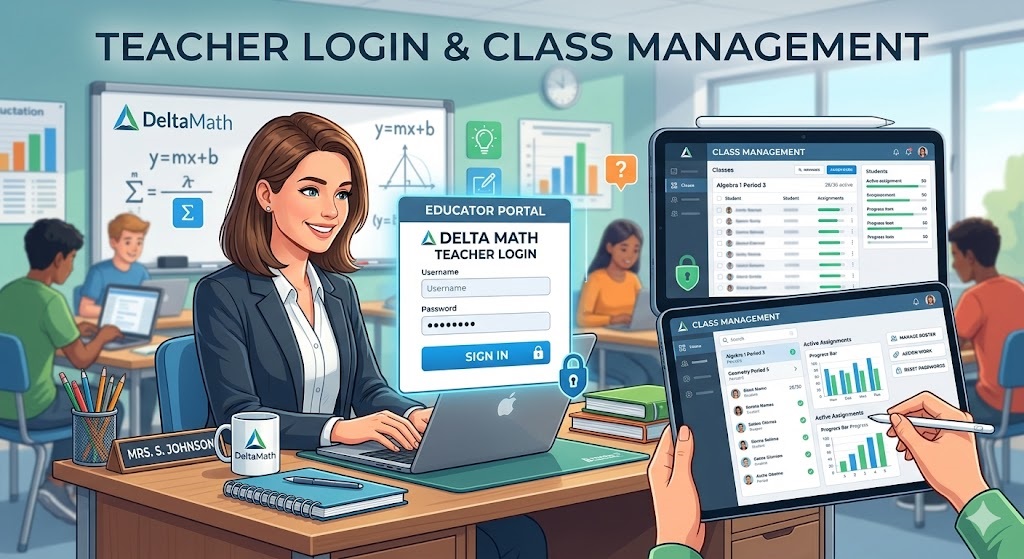
Teachers use DeltaMath to create classes, assign problem sets, view performance, and manage access. After login, confirm each class has the correct name, roster, and assignment settings before distributing codes.
Teacher accounts may support student recovery. If a student forgets a password, the teacher may reset it from student management. Keep class codes limited to the intended group.
Google, Clever, and ClassLink Login
Some schools manage DeltaMath through single sign-on, or SSO. Students may not use a normal DeltaMath password. They sign in through Google, Clever, ClassLink, or another approved portal.
Use the same school email and login button every time. Do not switch between personal Gmail, school Gmail, and username login unless your teacher confirms the routes connect.
If the school controls the account, password recovery happens through the school portal.
Fix Common Delta Math Login Problems
Most Delta Math login issues have a specific technical cause. Treat the error message as evidence.
Invalid class code: Recheck the code and ask whether it is active.
Forgotten password: Use reset tools or ask the teacher if the account is class-managed.
Wrong account: Sign out and test the school-approved email, username, or SSO button.
No assignments visible: Confirm the class, release date, and assigned section.
Browser issue: Clear cache, update the browser, disable extensions, or test another device.
Do not keep trying random credentials. Repeated attempts waste time and make the real account harder to identify.
Delta Math Login Safety Checklist
Use only the official DeltaMath website or your school-approved portal. Never submit your password to a page offering shortcuts, answer keys, or “instant access.”
Check the URL before signing in. A safe login process should not ask for payment details, teacher credentials, or unnecessary personal information. If a page looks suspicious, leave it.
Final Takeaway
Delta Math login depends on account type. Students need class connection, teachers need class management, and SSO users must follow the school-approved route. Use the official website, avoid duplicate accounts, and check account state first.
Also Read: Gmail Account Access Warning: What It Means and What to Do
FAQs
Do I need a class code for Delta Math login?
Yes, when joining a new class. Existing students may only need to log in and connect to the new class.
Can my teacher reset my DeltaMath password?
Often, yes. If your account is class-managed, your teacher may be the fastest recovery option.
Why can’t I see my DeltaMath assignments?
You may be using the wrong account, wrong class, or an assignment that has not been released.
Can I use Google login for DeltaMath?
Yes, if your teacher or school enabled Google sign-in. Use the same school account every time.
