

Nobody remembers a great talk because of the remote in the speaker’s hand. But everyone remembers the one where the slides froze, the laser dot vanished on a TV, or the presenter kept walking back to tap an arrow key. A good clicker is invisible. A bad one becomes the story.
To find the best wireless presentation clickers in 2026, I compared spec sheets, launch documents, and hundreds of verified owner reviews. I judged each one by a single question: what actually goes wrong in a real room?
- Why Your Slide Advancer Matters More Than You Think
- The Best Wireless Presentation Clickers at a Glance
- 1. Logitech Spotlight 2: The Premium Presentation Remote for Hybrid Rooms
- 2. Logitech R500s: The Best All-Rounder for Most Presenters
- 3. Kensington Presenter Expert Green: The Wireless Presenter With Laser Pointer for Big Rooms
- 4. Logitech R400: The Budget Slide Advancer That Refuses to Die
- 5. DinoFire USB-C: The Best PowerPoint Clicker Under
- How to Choose Without Overthinking It
- Frequently Asked Questions
- Final Verdict: Choose the Clicker That Matches Your Room
Why Your Slide Advancer Matters More Than You Think
Projectors are giving way to LCD panels and hybrid calls, where a red laser barely shows up. Logitech’s own R500s page admits the beam is “less noticeable” on LCD screens. Many laptops now have only USB-C ports, too. So the right PowerPoint clicker depends on three things: where you present, what you present from, and how far you roam.
The Best Wireless Presentation Clickers at a Glance
| Model | Best for | Range | Connection | Power | Pointer | Price |
|---|---|---|---|---|---|---|
| Logitech Spotlight 2 | Hybrid and TV screens | 30 m / 100 ft | Bluetooth + USB-C receiver | Rechargeable, ~3 months | Digital highlight + laser | $129.99 |
| Logitech R500s | Most people | 20 m / 65 ft | Bluetooth + USB receiver | 1x AAA, ~1 year | Red laser | $40–50 |
| Kensington Presenter Expert Green | Large halls | 45 m / 150 ft | USB-A receiver | AAA | Green laser + joystick | $63–70 |
| Logitech R400 | Budget reliability | 15 m / 50 ft | USB-A receiver | 2x AAA | Red laser | $20–30 |
| DinoFire USB-C | Under-$20 backup | Up to 100 ft (claimed) | USB-C receiver | Varies | Red light | $14–18 |
1. Logitech Spotlight 2: The Premium Presentation Remote for Hybrid Rooms
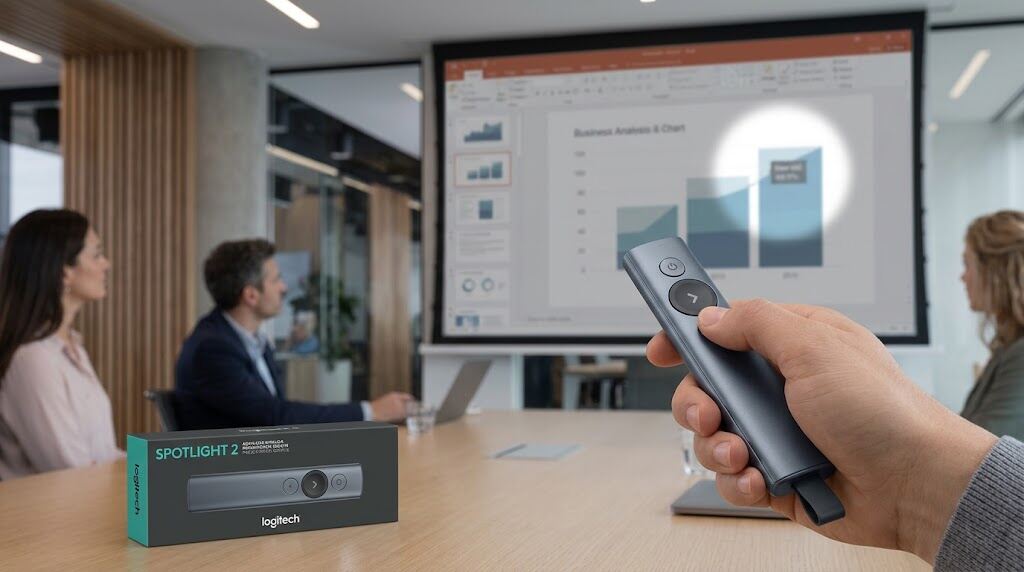
Launched in June 2026, the Spotlight 2 is less a pointer and more a stage tool. Its pressure-sensitive button triggers Spotlight, Magnify, Squarelight, and Annotate effects, and a small vibration confirms each press. It also has a Class 1 laser and a guided breathing exercise delivered through soft vibrations.
Picture presenting to a conference room TV while ten colleagues watch on Teams. A laser reaches nobody on the call. A digital spotlight reaches everyone.
The catch? One reviewer’s headline nails it: “Excellent (…if you have the software).” The advanced effects need Logi Options+ on Windows or macOS. Spotlight also report finding it dead after months unused, so charge it the night before. One minute of charging allows for three hours of operation.
2. Logitech R500s: The Best All-Rounder for Most Presenters
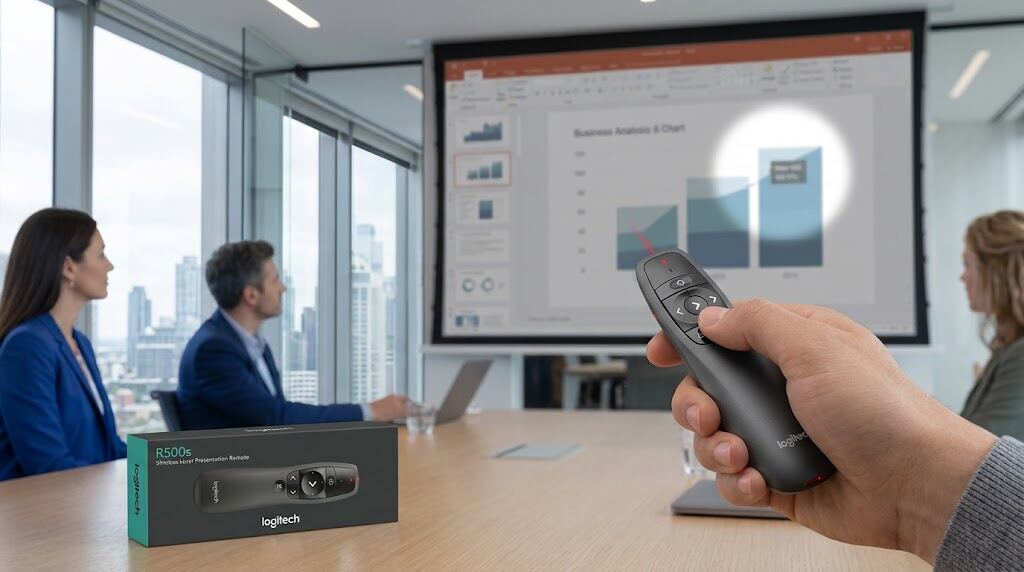
The R500s connects with a USB receiver or Bluetooth, reaches 20 meters, and runs about a year on one AAA battery. It suits a consultant who uses a client’s laptop one day (receiver) and their own tablet the next (Bluetooth). A B&H reviewer summed it up: “Straightforward. Simple. Does what it’s meant to do.”
Owners have two complaints. There’s no power switch, so buttons get pressed inside bags, and some report occasional Bluetooth drops. For high-stakes talks, use the receiver.
3. Kensington Presenter Expert Green: The Wireless Presenter With Laser Pointer for Big Rooms
Lecture halls and ballrooms punish weak lasers. Kensington says its green beam is 10x brighter than red, and the 45-meter range covers the back rows. A joystick doubles as a mouse for embedded videos, and backlit buttons help in dark auditoriums.
The trade-off: it only works with a USB-A receiver, and Kensington notes newer Macs need an adapter. Some versions are discontinued, so check the listing before you buy.
4. Logitech R400: The Budget Slide Advancer That Refuses to Die
The R400 has been a classroom workhorse for years. Its contoured buttons are easy to find by touch, it works as soon as you plug it in, and unlike the R500s, it has an on/off switch. One user who owned both even found the R400’s laser steadier. It has no Bluetooth, but at $20–30 it’s a smart presentation remote for teams buying in bulk.
5. DinoFire USB-C: The Best PowerPoint Clicker Under
With 4.4 stars across more than 13,000 Amazon reviews, DinoFire has earned its following. Its USB-C receiver plugs straight into modern MacBooks, and the brand promises a free replacement receiver if you lose yours within three years. The range claims are optimistic and the red light is weaker than a true laser. Still, as a backup slide advancer in your laptop bag, it’s hard to beat.
How to Choose Without Overthinking It
- Presenting on TVs or hybrid calls? Go digital with the Spotlight 2.
- Big projector room? Choose a green laser.
- USB-C-only laptop? Pick Bluetooth or a USB-C receiver.
- Work laptop that blocks software installs? Choose a model that works without extra software.
Whichever of the best wireless presentation clickers you pick, get there 10 minutes early. Walk to the back corner of the room and click through five slides. That habit prevents most disasters.
Frequently Asked Questions
1. What are the best wireless presentation clickers for most people?
The Logitech R500s offers the best balance of range, battery life, reliability, and price. Hybrid presenters should consider the Spotlight 2.
2. Do laser pointers work on TV screens?
Poorly. LCD panels make the dot faint. A digital pointer is far more visible, including for remote viewers.
3. Do clickers work with Google Slides and Keynote?
Yes. Most act like keyboards, sending “next” and “back” commands that work in PowerPoint, Google Slides, Keynote, and PDFs.
4. Is Bluetooth or USB receiver preferred?
Receivers are usually more reliable in crowded venues, while Bluetooth saves a port. Models with both give you the most flexibility.
5. Is a green wireless presenter with laser pointer worth it?
For large or bright rooms, yes. Green looks much brighter to the eye. Never aim any laser at people’s faces.
Final Verdict: Choose the Clicker That Matches Your Room
The best wireless presentation clickers remove friction so your attention stays on your audience, not your laptop. Choose the R500s for dependable everyday control. Choose the Spotlight 2 when your audience is split between the room and video calls, and the Kensington for large rooms. Budget buyers can trust the R400 or DinoFire. Pick for your room, test before you speak, and let your message take center stage, not your hardware.
