

If you landed here because vipbox isn’t loading, buffering forever, or redirecting to strange pages, pause before you click anything. If vipbox shows a “site can’t be reached” message, avoid repeated retries and move to safer options. In 2026, sites like this can be unstable for many reasons—server overload, domain churn, aggressive ad networks, or blocks tied to legal enforcement. The safest goal isn’t “make it work at any cost,” but to diagnose what’s happening and switch to reliable, licensed options when needed.
Why vipbox goes down (and what you’ll actually see)
When vipbox is “down,” you may see a blank page, endless spinning, error codes, or links that loop. Sometimes the site is truly offline; other times your network can’t resolve the domain correctly, or security filters stop risky scripts from running. Either way, treat repeated redirects and pop-ups as a security warning—especially when the page suddenly looks different than usual.
Pragmatic, low-risk checks when vipbox isn’t working
These steps are designed to keep you safe. They help you confirm whether the problem is your device/network or the site itself—without disabling protections or installing anything.
1) Rule out your internet and device
Open two unrelated, reputable websites (like email and a major news site). If those fail too, your issue isn’t vipbox—it’s your connection or device.
2) Try a different browser profile
Use a private window to test basic loading. If the page behaves wildly differently, your normal profile may have corrupted site data. Clear cookies/site data for vipbox, then restart the browser.
3) Keep security protections on
If your browser or antivirus warns about a page, don’t “allow anyway.” Many clones exist, and vipbox lookalikes often rely on dangerous ad scripts. A “broken” page can be your protection doing its job.
4) Don’t install “players” or extensions
Legit streaming services don’t require random downloads. If vipbox prompts you to install software, treat it as a stop sign and exit immediately.
5) If it’s blocked, choose a legal path
If a school/work network blocks vipbox, or your ISP routing fails repeatedly, don’t try to bypass policies. Use a licensed streaming option instead—more stable and safer.
VPNs: useful for privacy, not a guaranteed “fix”
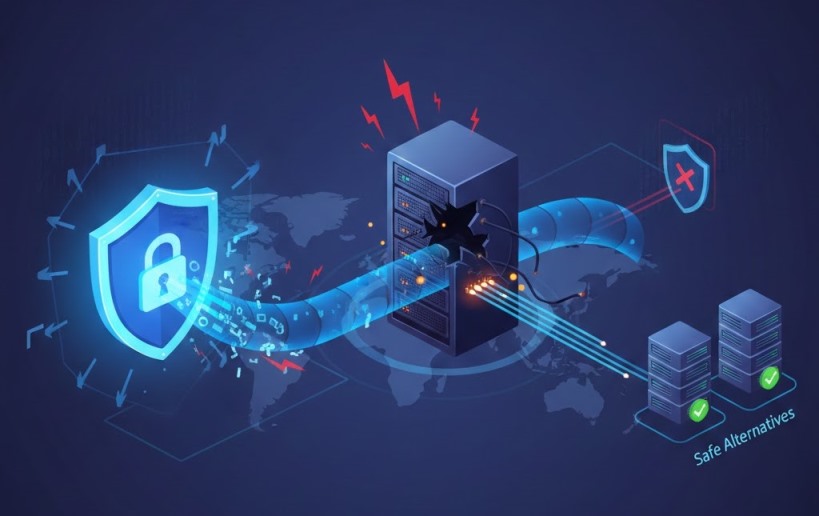
A VPN can be a valuable tool for protecting your privacy on public Wi-Fi and reducing tracking by hiding your IP address. It can also sometimes improve stream quality by preventing your Internet Service Provider (ISP) from intentionally slowing down your connection due to high bandwidth use (a practice known as throttling). However, a VPN won’t revive VIPBox if the site is truly offline, and it should never be used to bypass copyright laws or a service’s terms of use.
Key VPN features for safer, smoother streaming
When you’re looking for a VPN to use with sports streaming alternatives, prioritize features that protect your data without sacrificing performance:
- A verified no-logs policy: This is a commitment from the provider not to collect or store any information about your online activities. Look for services that have had this policy confirmed by independent third-party audits.
- Kill switch and DNS leak protection: A kill switch is a critical safety net that instantly blocks your internet connection if the VPN drops, preventing your real IP address from being exposed. DNS leak protection ensures your browsing activity stays inside the secure VPN tunnel.
- Modern connection protocols: Support for protocols like WireGuard® offers a strong balance of high speed and modern security, which is ideal for streaming high-definition sports without lag.
- Large, high-speed server network: A wide selection of servers in different locations helps ensure you can find a fast, uncrowded connection, reducing buffering and latency during live events.
Choosing a provider that excels in these areas is key. For example, IPVanish is often considered one of the best VPNs for sports because it bundles these essential security tools with a network built for high-speed streaming, helping you watch your favorite events more privately and with fewer interruptions.
5 safe, legal alternatives to watch sports in the U.S.
If your priority is reliability, these legitimate services are the safest replacement for unstable sites like vipbox:
1) ESPN+
A solid add-on for many events and leagues, often cheaper than full live-TV bundles.
2) YouTube TV
A strong cable-style option with broad channel coverage, cloud DVR, and easy device support.
3) Hulu + Live TV
Combines live channels with a large on-demand library, useful if your household wants both.
4) Fubo
Frequently chosen for sports-first channel lineups and features designed for live events.
5) Peacock
Affordable entry point for select sports rights plus general entertainment content.
Also Read: What is IPTV and How Does it Work? Ultimate Guide for 2025
Safety checklist for searches and lookalike domains

Even when vipbox appears to load, the bigger risk is what loads around it: pop-ups, fake “update” prompts, and phishing forms.
- Never enter credentials on unofficial pages; if vipbox asks for a login, assume it’s risky.
- Watch for copycat terms people search, like vipbox tv and vipbox lc, which can lead to impersonators.
- Be cautious with high-volume search terms such as buffstreams, buff streams, buffstreamz, viprow, streameast.io, vipboxtv, crackstreams.com, and totalsport tk—they’re frequently used in scammy ads and redirect chains.
- Queries like vip box, vip stream, and vip streams are also common magnets for malicious clones.
Conclusion
If vipbox is down, focus on safe diagnosis: confirm your connection, clear site data, and treat warnings as protection—not obstacles. Use VPNs for privacy and security (especially on public Wi-Fi), not as a shortcut around rules. For consistent, high-quality viewing, switching to licensed platforms is the most dependable solution—and it keeps you out of the pop-up-and-clone ecosystem.
FAQs
1) How can I check whether a sports stream is officially licensed in the U.S.?
Look for the event on the league’s official “Where to Watch” page or the broadcaster’s schedule (ESPN, NBC, FOX, CBS, etc.). If the site doesn’t clearly show a real company, terms of service, and billing/support details, treat it as unofficial.
2) Are there legal ways to watch out-of-market games without violating blackout rules?
Yes—use official out-of-market packages (when available), league apps, or a legitimate live-TV service that carries the correct regional sports network. Blackouts still apply, so the legal route is choosing a provider that has rights in your location.
3) What should I do if a streaming page tries to trick me into enabling notifications?
Do not click “Allow.” Close the tab immediately. If you already allowed it, remove the permission in your browser settings, then run a security scan and clear site data to reduce pop-ups and redirects.
