
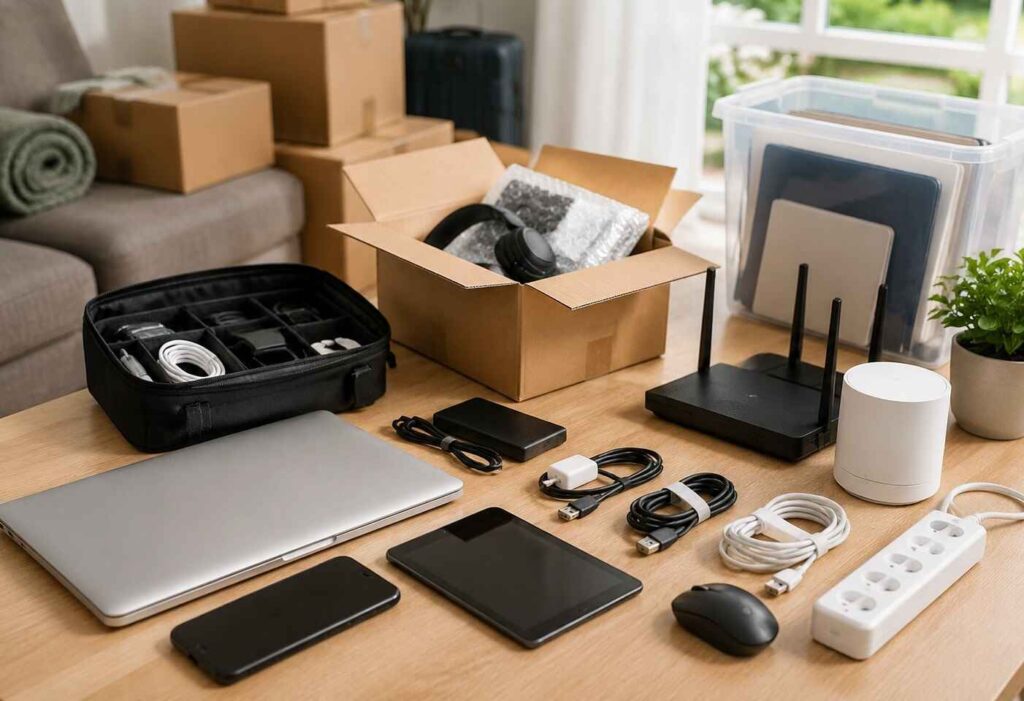
Moving is its own brand of chaos. Boxes are piling up in every room. Utilities to switch. Keys floating around in random pockets. And that endless drip of tiny decisions that always seem to land at the worst possible second. Somewhere in all of that, the digital side of life almost always becomes the absolute lowest priority.
Devices get tossed into tote bags. Cables vanish into kitchen drawers and never make it back out. Important files sit on one laptop, half backed up, half forgotten about. Then comes the fun part. Finally arriving at the new place, ready to jump on a call or print one stupid form, and nothing is where it’s supposed to be.
It really doesn’t have to play out like that. A little planning up front keeps devices, files, and the whole internet situation manageable from the first packed box to the first decent night of streaming in the new place.
- Start With a Quick Digital Inventory
- Sort Cables Before They Turn Into a Nightmare
- Back Up Files Before Moving Day
- Keep Moving Documents Separate From Work Files
- Plan the Internet Setup Way Before It Becomes Urgent
- Pack a First-Day Tech Kit
- Protect Devices While Packing
- Update Address Info Everywhere
- Set Up the New Space With Intention
- Reconnect Smart Devices Slowly
- Run a Quick Post-Move Cleanup
- Final Thoughts
Start With a Quick Digital Inventory
Before packing a single charger, take 5 minutes to actually look at the tech you use every week. Laptops, tablets, phones, monitors, routers, modems, printers, external drives, smart speakers, cameras, and anything work-related.
Nothing fancy is needed. A quick note on the phone works. For each device, jot down what it is, the serial number if it’s easy to spot, the accessories that belong with it, and whether it holds anything important. Once it’s all in one place, losing track of something gets a lot harder. It also makes it way easier to finally let go of dusty old tech that’s been hanging around forever.
Sort Cables Before They Turn Into a Nightmare
Cables really are out to ruin lives during a move. One day, every charger will be recognizable. A week later, six identical black cords are tangled together, and at least two of them clearly came from gadgets that no longer exist.
The fix is honestly so simple. Sort them before they get packed. Laptop chargers in one bag. Phone chargers in another. HDMI, USB, and Ethernet are in their own labeled bags. Clear zip bags work great. Slap a piece of tape on anything confusing and write what it goes to. Ten seconds of effort, hours of future sanity saved.
If a reputable moving company is handling the move, still keep the most important tech accessories close. Chargers, hard drives, routers, and work equipment should ride along, not on the truck. Movers are great with furniture and boxes, but the tech essentials are way easier to deal with when they stay within arm’s reach.
Back Up Files Before Moving Day
Files deserve real attention before anything gets loaded up. Devices can get bumped, dropped, overheated, or just temporarily misplaced in the shuffle. Even when nothing goes wrong, moving is stressful enough without having to wonder whether the photos and work files are safe.
Two backup methods are ideal. One in the cloud, one on an external drive. Focus first on the stuff that genuinely can’t be replaced. Family photos. Creative projects. Tax records. Contracts. Scans of important IDs. Once everything’s backed up, actually open it up and click around. A backup that doesn’t restore properly is basically just digital wallpaper.
Keep Moving Documents Separate From Work Files
Moves come with their own tidal wave of paperwork. Lease agreements, moving estimates, insurance forms, receipts, address changes, and delivery schedules. It piles up fast.
Make one dedicated folder on the computer just for the move. Name it something obvious like “Move 2026.” Drop subfolders in for housing, utilities, receipts, internet setup, and insurance. Save key confirmations as PDFs instead of letting them get buried in email. A clean folder gives one place to look without all the scrolling at midnight.
Plan the Internet Setup Way Before It Becomes Urgent
The Internet is one of the biggest pieces of any modern move, especially for anyone working from home or running a household full of connected devices.
Check who actually offers service at the new address. Don’t assume the current provider works there, even across the same city. Coverage gets weird block by block. Once the options are clear, schedule the install or activation early. Installation slots fill up fast, and waiting until after the move can absolutely wreck a work or school routine.
Ask whether new equipment is needed. Confirm fees and any contract changes. For anyone whose income depends on being online, have a backup ready. A mobile hotspot. A coworking spot. A library. Anywhere that can save the day if the install gets pushed.
Pack a First-Day Tech Kit
The first day in a new home is not the time to tear through random boxes hunting for a charger. Pack a first-day tech kit and keep it close through the whole move.
Throw in the must-haves. Phone chargers. Laptop charger. A power bank. An extension cord. A power strip. The router and modem. An Ethernet cable. Headphones. Access to passwords.
Toss in a little screwdriver, some zip ties, tape, and a few labels, too. Treat this kit the way meds or keys get treated. It stays close. Not on the truck.
Protect Devices While Packing
Tech needs more care than the average box of clothes or books. If the original boxes are still around, this is their big moment. If not, padded cases, bubble wrap, or soft towels work great.
Never let heavy items stack on top of electronics. Pull batteries from older gadgets. For external drives, keep them cushioned and away from temperature extremes. Before unplugging anything complicated, snap photos so reconnecting later isn’t a guessing game.
Update Address Info Everywhere
Changing a physical address means changing it in a surprising number of digital places. Some are obvious. Banks, insurance, subscriptions. Others sneak right past. Make a running list. Online stores. Payment platforms. Medical portals. Tax software. Streaming services.
Two-factor authentication needs love, too, especially if a phone number or device is changing. Getting locked out of an important account during a move is just brutal.
Set Up the New Space With Intention
Once everything arrives, resist the urge to plug things in randomly just to be done. The router goes in a central spot, not behind furniture or stuffed inside a cabinet. For bigger homes, a mesh Wi-Fi system might be the move.
Set up the desk or workspace with both comfort and function in mind. Keep cords off the floor when possible. Cable clips or sleeves do wonders for the visual chaos. A clean setup quiets a real kind of background mental noise.
Reconnect Smart Devices Slowly
Smart home tech is amazing until everything needs to reconnect to a new Wi-Fi at the same time. Don’t try to handle it all in one go. Internet first. Then work devices. Then security stuff. Then speakers, smart lights, and streaming gear. Keep a small log of device names, apps, and logins for the next inevitable troubleshooting moment.
Run a Quick Post-Move Cleanup
Once the dust settles, set aside time for one last digital cleanup. Delete duplicate moving files. Archive contracts and receipts. Pull the old address from accounts that still have it. Confirm backups are running. Unsubscribe from anything tied to the old life. Local memberships, old building portals, parking apps. Clearing it out helps the new place feel like home a little faster.
Also Read: The Growing Habit of Rotating Tech Instead of Holding onto It
Final Thoughts
Moving isn’t just about hauling stuff from one place to another. It’s about carrying a whole routine, a job, and a pile of memories into a brand new environment. Tech does a lot of that work quietly in the background.
Nobody needs a perfect system. Just a practical one. Start with a list, back up the files. Label the cables. Keep essentials close. Sort out the internet before it becomes a crisis. A little prep up front saves a whole lot of frustration on the other side.
