
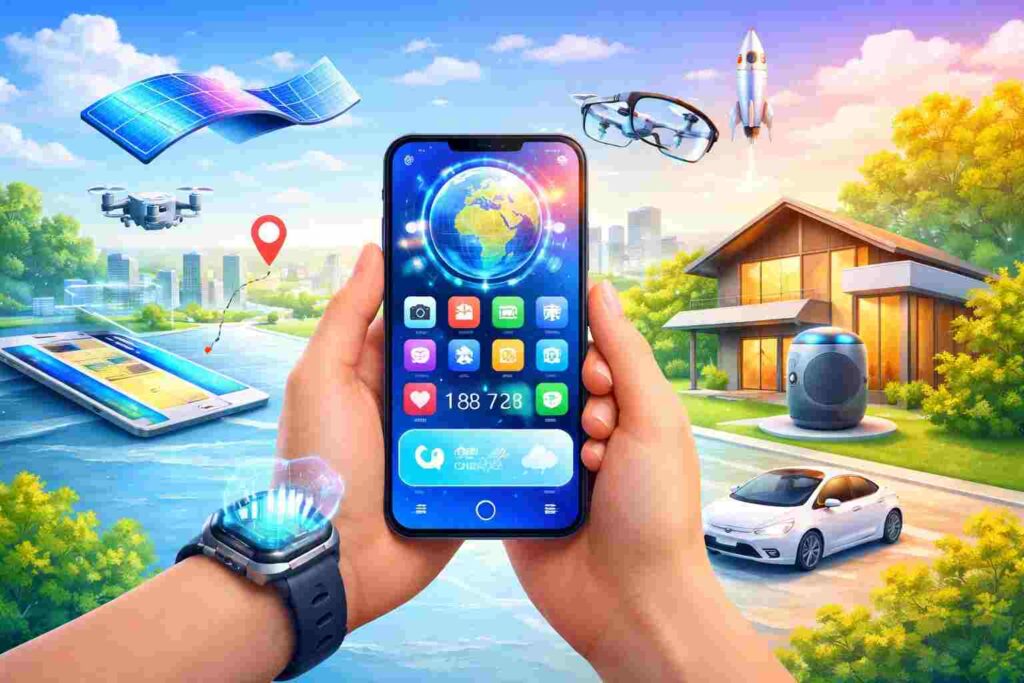
Smartphones in 2026 offer more than a communicative tool role. You can now use them as your workspace, creative studio, personal assistant, entertainment hub, and financial manager, all in one device.
And the best part? The technology inside these devices is more advanced than ever. That’s inclusive of new connectivity layers, AI-native processors, and advanced display systems. This means that a smartphone is now a powerful personal platform that you can use to streamline your life.
But how exactly can you make the most of it? Stick with us to learn how to do that.
Ditch the Physical SIM and Go Digital
One of the best ways to make the most of your smartphone in 2026 is to ditch the physical SIM and go digital. The latest advancement in smartphone technology for connectivity is an eSIM, which is embedded directly into modern phones.
This eSIM functions the same way as a physical SIM card. And the main differentiator is that it’s digital, and it eliminates the need for a physical SIM. This means that instead of inserting a tiny SIM card, you can activate your mobile plan and access networks digitally by scanning a QR code and downloading a carrier profile.
For example, if you are currently in Spain, you can use Holafly eSIM to access a local network from carriers, such as Orange, Movistar, Vodafone España, and Yoigo throughout the country. The best part? The Holafly eSIM plan for Spain is relatively affordable. At the same time, there are unlimited data plan options.
This means that the eSIM technology allows you to save on the cost of staying connected. What’s more, you don’t need to purchase any plastic SIM card. Also, the provision of unlimited and affordable data ensures you can stay connected hassle-free.
Another incredible reason why you should ditch the physical SIM and go for an eSIM is that, as mentioned earlier, an eSIM is embedded directly in phones. This means that there is less risk of getting lost, which ensures more secure connectivity.
Hidden Settings That Supercharge Your Battery Life
Sometimes even the most advanced smartphones may drain battery faster than you may expect. The good thing? These smartphones come with built-in settings that can supercharge your battery life by about 20% to 50%. They include:
Adaptive Battery on Android
If you have an Android phone, make sure you enable the adaptive battery. This setting tracks which app you use the most, and then it limits the background activity for those you rarely use. Therefore, an adaptive battery protects your device from excessive battery drain.
Background Refresh on iPhone
The background refresh setting on iPhone carries the same function as the adaptive battery on Android. When you disable it, background apps will not run or update automatically. This enables your device to save on battery and data.
Screen and Display Optimization
Your screen is the largest battery drain of your phone. Therefore, if you want to extend your battery life, lower brightness, enable auto-brightness switching to dark mode, and reduce refresh rate to about 60Hz.
Power Saving Modes
The latest smartphones have ultra-power-saving or low-power modes. These settings adjust CPU performance, screen brightness, and network activity. So, when you activate them, a 20% battery can last for hours.
The Apps You’re Sleeping On Right Now
The latest smartphone apps available can make your life easier than you can imagine. They use the latest technology, such as AI, AR, and eSIM integration, to make your life seamless. Some of them include the following:
Notion AI 3.0
This app transforms the concept of note-taking. It acts as an active agent that lets you create, edit, and manage your notes across your personal workspace, Google Drive or Slack. What’s more, it comes with a chatbot that allows you to ask questions about your work.
Holafly Connect
Holafly Connect facilitates eSIM management. It offers an eSIM subscription service for frequent travelers, digital nomads, and remote workers needing reliable, long-term, and multi-country coverage.
Otter.ai Live Transcribe
This app lets you transcribe live audio and then watch it translate into text. Therefore, you can use it for classroom lectures or during work meetings to ensure that you note every point. Another incredible thing about the app is that it lets you share transcripts with others.
So, if your colleagues or friends are absent from meetings, they can also get a glimpse of what went down.
Volume Scroll
Volume Scroll lets you scroll through web pages, social media feeds, or documents using a physical volume button. This means that you can browse online without touching your screen. So, if you are doing something like eating greasy food, Volume scroll will ensure you don’t mess up your phone’s display.
How to Free Up Storage Without Deleting Memories
Your smartphone storage can fill up fast with your photos, 4K Vlogs, app caches, and so much more. It’s normal. The good thing is that there are several ways to free up storage without deleting your precious memories. They include:
- Using apps like Google Photos or iCloud to automatically back up your media in the cloud. Once your copies are in the cloud, you can delete the local files without losing a single memory.
- Using built-in cleaners like Files to scan duplicates, blurry shots, and old WhatsApp media, then delete them. Also, you can use apps, such as Samsung’s Device Care, to clean up gigabytes of caches from sites like Instagram and TikTok.
- Using built-in or third-party apps to compress files without sacrificing visibility quality.
Security Habits Every Smartphone User Needs
One of the best things about 2026 is that there are several incredible ways to ensure your smartphone is secure at all times. Some of these ways that you can consider adopting include:
- Ditching PINs for Face ID or under-display fingerprint scanners. The latest smartphone devices have a 99% accuracy in these methods of maintaining security.
- Turning on 2FA for important accounts, like emails, banking, and social media. This ensures that even when someone guesses your password, they cannot log in without a code.
- Reviewing app permissions regularly.
- Enabling auto-update to patch up any vulnerabilities.
- Using VPN while on free public wi-fi.
