
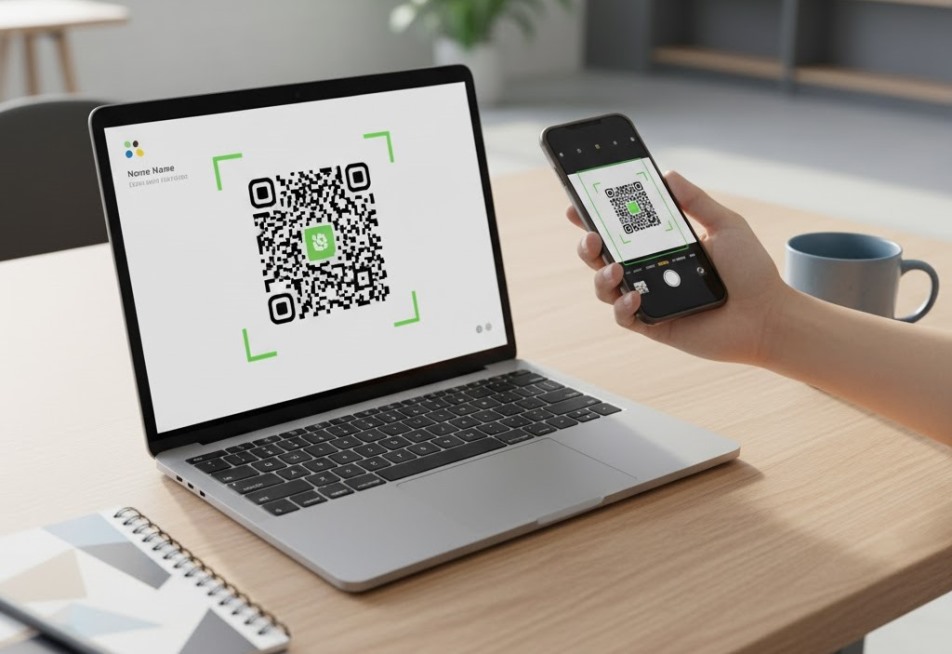
QR Codes are no longer a tech novelty, but a must-have utility for any team serious about securing and tracking their shared content. They have become one of those quiet essentials — a bridge that connects printed materials, digital platforms, and business systems in just one scan. From managing campaigns to organizing files, QR codes are now part of everyday workflow for teams across industries.
How QR Codes Improve Daily Digital Work
QR codes have evolved from a marketing gimmick into a genuine productivity tool. With just a quick scan, teams can use a QR code maker to create QR code free for onboarding pages, dashboards, or resource links. A good QR code generator online helps companies share content securely, track performance, and even update links without recreating codes. For businesses, choosing a provider with robust data encryption and clear GDPR/CCPA compliance is critical to ensure consumer data integrity with every scan.
This kind of flexibility means fewer emails, fewer broken links, and faster collaboration. For growing businesses and remote teams, that’s a big win. Below are several QR code tools that make everyday digital work smoother.
ME-QR — Organized, Insightful, and Easy to Use
ME-QR is an international platform for creating, managing, and tracking QR codes. It was built for teams that need organization, data insight, and freedom to edit links anytime. With this QR code generator, companies can make codes that connect people directly to digital files, forms, or web pages.
What sets ME-QR apart is how much control it gives without adding complexity. Users can generate dynamic QR codes, track scan data by time and device, and create codes in bulk for large projects. There’s also an option for branding — adding logos, custom colors, and personal domains — and an API that allows integration with other software.
ME-QR is used globally by people and companies from every continent. Its interface is available in 28 languages, and so far, users have generated more than 20 million codes and tracked over 300 million scans, serving more than 500 thousand users worldwide. The dashboard is clean and simple, which makes it practical even for beginners.
A small limitation is that the free version offers fewer design options, but the essential tools — analytics, dynamic editing, and code creation — are available to all. Readers should compare the costs of each tool’s entry-level paid plan, as the price difference between platforms offering advanced features like API access and higher scan volumes can vary by over 200% monthly.
Also Read: How to Apply Snapseed QR Codes in Photography
Unitag — Simple Design with Consistent Results
Unitag focuses on clean design and quick setup. It lets users make QR code campaigns for product packaging, event links, and digital menus without complicated steps.
The advantage of Unitag is its easy customization — you can create stylish codes that match your visual branding. It also supports basic tracking for understanding scan activity.
The downside is that advanced features like detailed analytics or dynamic code editing are limited unless you move to a paid plan. Still, it’s a straightforward QR code maker for small teams and freelancers.
Bitly — QR Meets Link Management
Bitly is best known for short links, but it also offers a QR code generator feature that ties directly into its analytics system. It’s a natural choice for companies already using Bitly for campaigns or social tracking.
Its advantage is integration: every QR code automatically connects to link performance stats, helping marketers see engagement at a glance. It’s quick, automatic, and ideal for digital-first teams.
However, customization is minimal, and users looking for bulk creation or branded codes might find it limited.
QR.io — Flexible and Business-Friendly
QR.io offers a balance between simplicity and control. It allows users to generate QR code for business cards, landing pages, or PDFs and manage them from one place.
Its main strengths are real-time editing and scan monitoring. Users can update a link even after the code is printed, which is perfect for long-term campaigns or product packaging.
The platform can be slightly slow when managing large data sets, and design options are fairly basic. But for most small business workflows, it covers everything essential.
Flowcode — Personalized Codes for Online Connections
Flowcode helps teams connect their online content with customers through stylish, easy-to-scan designs. It’s often used by content creators, marketing agencies, and remote teams that need codes with personality.
Its biggest plus is personalization — users can create QR code free with colors, shapes, and branded designs. It also provides scan tracking to measure interaction across campaigns.
On the downside, it requires registration and limits free users to some codes per month. For casual use, though, it’s an appealing and creative option.
How QR Codes Streamline Team Workflows
QR codes might seem simple, but they’ve quietly become a powerful part of digital collaboration. They remove small frictions — like searching for links or files — and make actions immediate. Here’s how teams are using them today:
- project access — linking to task dashboards or time trackers in one scan;
- file sharing — connecting printed reports or hardware labels to cloud documents;
- employee tools — giving instant access to onboarding materials or internal forms;
- product updates — linking packaging or manuals to live documentation;
- client feedback — collecting responses through scannable surveys.
These little shortcuts keep work flowing smoothly and reduce mistakes that slow teams down.
The Bigger Picture
QR codes have moved beyond marketing — they’re now part of how businesses organize daily digital work. The right QR code generator makes it easy to connect offline materials with online systems, while also saving time and keeping data structured.
Among all tools available today, ME-QR stands out for offering both simplicity and insight. It helps companies generate QR code for free, track every scan, and adjust content anytime. In a world where teams depend on fast, reliable tools, that’s exactly what keeps workflows running smoothly.
