

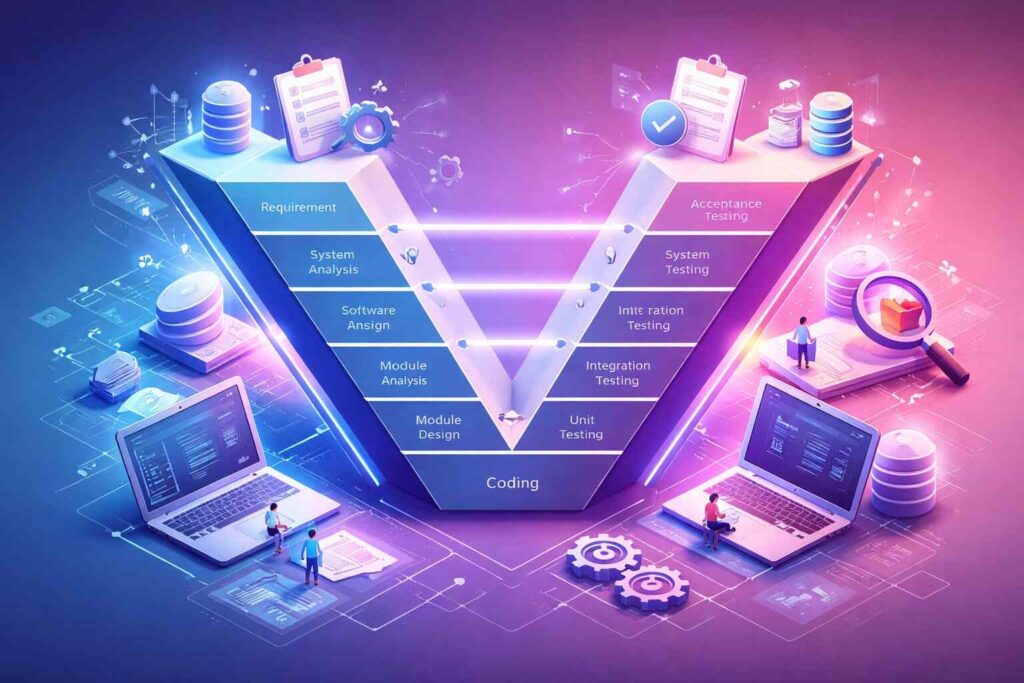
Software testing is the practical skill of checking whether software works the way it should, before real users depend on it. For beginners and students, software testing isn’t about memorizing fancy definitions—it’s about understanding how features fail, how to report problems clearly, and how quality is improved in real projects.
This article explains software testing in a clean, standard “tech article” style: core concepts, real-world context, and one short practice section you can use right away.
- What is software testing?
- Software testing vs debugging
- QA vs software testing (what to say confidently)
- Where software testing fits: SDLC, STLC, and the V-Model
- Core types of software testing you should know
- What is a test case in software testing?
- How to write a bug report that developers respect
- Software testing in Agile (what “real teams” often do)
- Practice: a mini software testing exercise for a login page
- Tools beginners should learn without getting overwhelmed
- Final takeaway
- FAQs: Software Testing Basics
What is software testing?
At its simplest, software testing is the process of evaluating an application to confirm it meets expectations and to uncover defects (bugs). Good software testing answers questions such as:
Does the feature match the requirement?
Does it handle invalid input properly?
Does it stay stable after changes and updates?
A quick example: imagine a fee calculator that applies a scholarship discount. If the discount logic is wrong or the app crashes on certain inputs, software testing should catch it before users see incorrect results.
Software testing vs debugging
Students often mix these up, so here’s the clean difference.
Software testing is the act of finding issues and documenting them.
Debugging is the act of investigating the cause and fixing the code.
A tester might report: “Login fails when the password has a trailing space.” A developer then debugs the code, identifies the reason, and applies the fix. Strong software testing speeds up debugging because the issue is described clearly and reproducibly.
QA vs software testing (what to say confidently)
In companies, people often say “QA” when they mean testing, but they’re not exactly the same.
Quality Assurance (QA) focuses on improving the process so fewer defects are introduced.
Software testing focuses on checking the product to find defects and confirm behavior.
In real teams, QA and software testing work together: QA prevents issues, software testing catches what still slips through.
Where software testing fits: SDLC, STLC, and the V-Model
SDLC and STLC
SDLC (Software Development Life Cycle) describes how software is planned, built, released, and maintained.
STLC (Software Testing Life Cycle) describes how software testing is planned and executed.
A beginner-friendly summary is:
- SDLC = how software is created
- STLC = how software testing supports quality throughout creation
The key takeaway: software testing should start early, not at the end.
A quick mention of the V-Model (exam-friendly)
For students, the V-Model is worth knowing because it commonly appears in university exams. The V-Model shows that each development phase has a matching software testing phase:
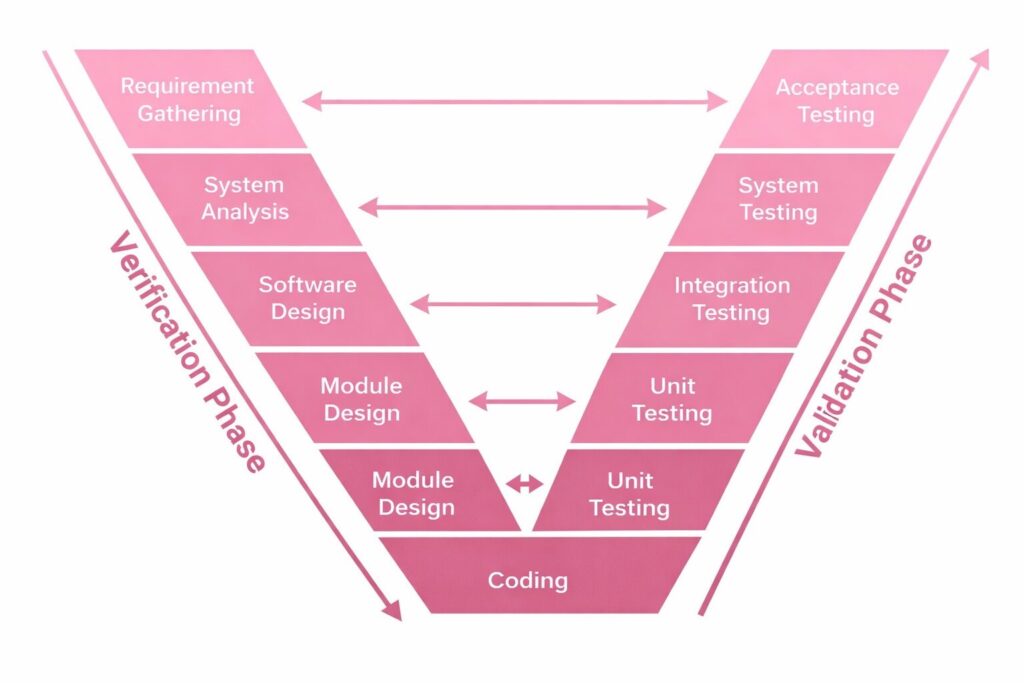
- Requirements ↔ Acceptance Testing
- System Design ↔ System Testing
- Architecture/High-Level Design ↔ Integration Testing
- Module Design ↔ Unit Testing
The idea is simple: plan software testing alongside development, so validation is built in, not added later.
Also Read: Develop Oxzep7 Software: A Complete Guide for Developers
Core types of software testing you should know
There are many labels in software testing, but beginners can focus on the types that show up most in real work and interviews.
Manual software testing vs automation software testing
Manual software testing is performed by a human following steps, exploring the app, and checking results. It’s ideal for learning because it teaches you how users behave and where software breaks.
Automation software testing uses scripts and tools to run tests automatically. Automation is especially useful for repeated checks—like verifying key workflows after every update.
A practical beginner rule: learn manual software testing first, then automate stable and repetitive tests.
Functional software testing vs non-functional software testing
Functional software testing checks what the system does. Examples include login, signup, form validation, calculations, and navigation.
Non-functional software testing checks how well it works, such as performance, usability, security, reliability, and compatibility (devices/browsers).
Many real failures are non-functional: an app can be “correct” but too slow, confusing, or insecure. Strong software testing considers both.
Testing levels (where software testing happens)
You’ll often hear about these “levels” in software testing:
Unit Testing checks small pieces of code, typically done by developers.
Integration Testing checks how modules work together (e.g., login + database).
System Testing checks the full product end-to-end.
UAT (User Acceptance Testing) confirms the software meets user/business needs.
You don’t need deep theory to start—just understand what each level is meant to catch and why software testing is layered like this.
Regression, smoke, and sanity software testing (high-value terms)
These three terms are common in interviews because they reflect daily software testing decisions.
Regression Testing: Retesting stable functions post-update to ensure no new errors.
Smoke Testing: a fast health check to confirm the build is stable enough for deeper testing.
Sanity Testing: a focused check to confirm a specific change or fix behaves correctly.
Good software testing uses the right approach at the right time—broad when needed (smoke/regression), narrow when appropriate (sanity).
What is a test case in software testing?
A test case is a clear set of steps used in software testing to verify a feature, along with an expected result. It makes testing repeatable and consistent across different testers.
A strong test case usually includes Test Title, Preconditions, Steps, Test Data, and Expected Result. The most important part is the Expected Result—without it, you can’t confidently call something “Pass” or “Fail” in software testing.
How to write a bug report that developers respect
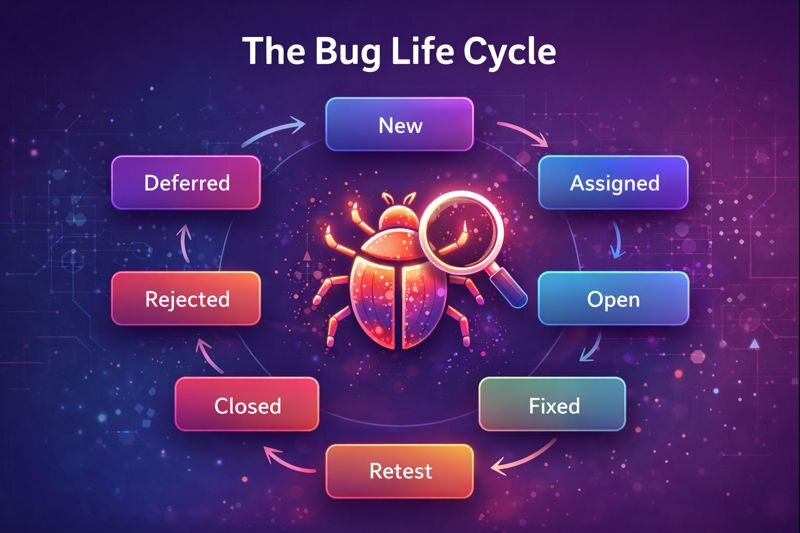
A bug report is valuable when it helps someone reproduce the issue quickly. In professional software testing, good bug reports are brief but complete.
A solid structure looks like this:
Bug Title: Specific and clear (avoid “Login not working”)
Environment: Device/OS, browser, app build/version
Steps to Reproduce: Numbered steps that anyone can follow
Expected Result: What should happen
Actual Result: What happened instead
Evidence: Screenshot/video if it helps
Severity: Impact level
Priority: Fix urgency (if your team uses it)
Severity vs Priority (quick clarity)
Severity = how big the impact is.
Priority = how urgently it should be fixed.
A small typo is often low severity, but could be high priority if it’s on a homepage banner right before launch. Strong software testing understands the difference and uses both responsibly.
Software testing in Agile (what “real teams” often do)
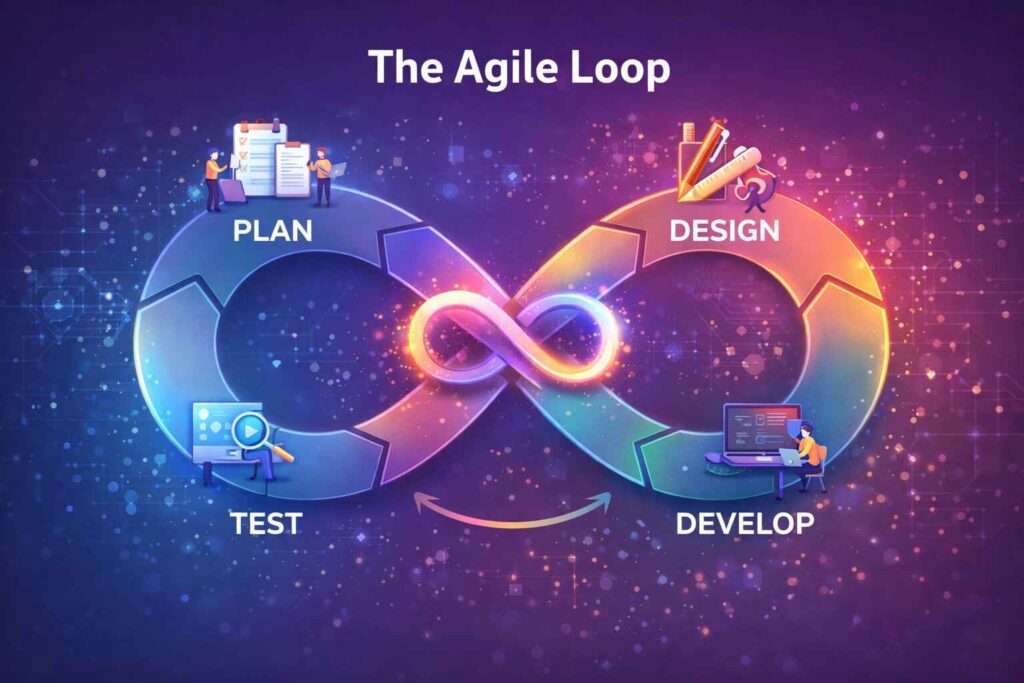
Modern teams often work in iterative cycles (sprints). In Agile, software testing isn’t a final step—it’s continuous and collaborative.
A typical flow looks like this:
- Requirements are discussed and clarified early.
- Test scenarios are outlined while development begins.
- New builds are shared often, and software testing runs continuously.
- Bugs are fixed and retested quickly.
- Key areas get regression checks before release.
For students, the point is simple: in real jobs, software testing is part of teamwork and fast feedback, not just documentation.
Practice: a mini software testing exercise for a login page
If you want hands-on software testing practice, a login page is perfect. It includes validation, security expectations, and common user behavior.
Here are a few high-value beginner checks:
- Login succeeds with valid email and valid password.
- Wrong password shows a clear error message without exposing sensitive details.
- Empty email or empty password shows validation messages.
- Invalid email format is rejected politely.
- Password characters are hidden (and “show/hide” works if available).
- Leading/trailing spaces in email are handled consistently (trim or reject).
- “Forgot password” opens the correct recovery flow.
- Pressing Enter submits the form correctly (if designed to do so).
This short set teaches you the mindset behind software testing: verify happy paths, negative paths, and edge cases.
Tools beginners should learn without getting overwhelmed
Tools support software testing, but fundamentals matter more than tool names. A realistic beginner stack is:
- A bug tracker (commonly Jira, but any tracker works)
- A place to document test cases (docs, spreadsheets, or a test tool)
- Optionally Postman for basic API checks
- Later: an automation tool (e.g., Selenium/Cypress/Playwright) once your software testing basics are solid
If you understand software testing concepts, learning tools becomes straightforward.
Final takeaway
Software testing is a core skill because software fails in predictable ways—through unclear requirements, edge cases, and changes that break old features. As a beginner, focus on doing software testing well: understand what’s expected, design strong test scenarios, write clear test cases, and produce bug reports that developers can act on quickly.
Once you’ve built that foundation, everything else—Agile workflows, API testing, and automation—becomes easier, faster, and more meaningful.
FAQs: Software Testing Basics
Q: What’s the difference between Verification and Validation in software testing?
A: Verification checks you built it right (reviews against requirements). Validation checks you built the right thing (testing the running product).
Q: What is a test scenario vs a test case in software testing?
A: A test scenario is a high-level what-to-test. A test case is step-by-step how-to-test with expected results.
Q: What is exploratory software testing, and when should beginners use it?
A: Exploratory testing is testing while learning the app, without fixed scripts. Use it after basic test cases to uncover real-world issues.
Q: What is boundary value analysis in software testing?
A: It tests edge inputs where bugs often hide (min/max and just outside), e.g., for 1–100: 0, 1, 2, 99, 100, 101.
Q: What test metrics are safe to mention in interviews?
A: Execution progress, pass/fail rate, defect count by severity, defect leakage (post-release bugs), and reopen rate.
