

An unfamiliar ringtone should not leave you wondering whether your money or personal details are at risk. It is not necessary to register for spam calls to receive unwanted calls. What matters is responding without giving an unknown sender another opening.
Learning how to stop spam calls starts with separating three jobs: deciding what deserves attention, filtering interruptions, and reducing future exposure. Learning how to stop spam texts adds another priority: keeping unexpected links and requests away from your accounts. Here is a practical approach, with U.S. registration guidance clearly distinguished from phone settings.
- What Does “sign up for spam calls” Really Mean?
- Decide Whether to Engage Before You Answer
- Match Your Phone Settings to Your Needs
- Handle Texts Differently From Legitimate Subscriptions
- Use Registration Without Expecting a Force Field
- Understand the Technology Behind the Labels
- Prevent New Exposure and Report Persistent Problems
- Conclusion
- Frequently Asked Questions
What Does “sign up for spam calls” Really Mean?
A genuine marketing subscription involves permission, while an unsolicited message does not prove you agreed to anything. The FCC distinguishes commercial robotexts, which require written consent, from informational messages, where consent may be oral. Not every automated communication is fraudulent.
Searching “how to sign someone up for spam calls” can involve deliberate harassment rather than ordinary marketing. Treat another person’s phone number as private information, not something to submit for revenge. A spam call sign up offer is not a sensible route to protecting your own privacy.
Decide Whether to Engage Before You Answer

An apparent local number or familiar organization name is not reliable proof of identity. With caller ID spoofing, scammers can disguise the number displayed. If a caller claims your bank account needs attention, end the conversation and use the number on your statement or the organization’s official website.
If someone threatens to sign up for spam calls using your number, retain screenshots and a dated record. Avoid publishing your telephone number while asking for help. Share relevant evidence privately with your carrier rather than arguing with the sender.
Match Your Phone Settings to Your Needs
Blocking, silencing, and screening are different actions. Individual blocking targets a number; silencing reduces ringing without necessarily rejecting the call; screening asks for context before you decide whether to answer. Check which behavior your device or carrier offers, and review messages before tightening restrictions that could affect important incoming calls.
Block spam calls on iPhone
Apple’s current guidance directs users to Settings, Apps, then Phone. Where supported, Screen Unknown Callers offers Ask Reason for Calling or Silence. The first screens an unsaved caller before your phone rings; the second sends these calls to voicemail. Save important contacts before choosing stricter controls.
If you expect a hospital callback, delivery, or job interview, review the consequences of silencing unfamiliar numbers. Protection should fit your circumstances, not make essential communication difficult.
Block spam calls on Android
For Phone by Google, open its menu, choose Settings, then Caller ID and spam. Enable identification and the available filtering option. Automatic Call Screen devices have different controls, so do not assume every Android phone displays identical choices. Use your device’s actual settings and Google’s instructions together.
Handle Texts Differently From Legitimate Subscriptions

Unexpected payment requests, delivery notices, and account warnings deserve independent verification. Instead of opening the supplied link, reach the organization through a website or contact method you already trust. Never provide sensitive account information simply because a text creates urgency.
If you believe you accidentally agreed to sign up for spam calls or promotional texts, review the genuine business’s consent settings. Permission for legitimate marketing can be withdrawn. However, a suspicious stranger’s message is not a trustworthy unsubscribe channel; the FCC advises against responding to questionable texts.
To report spam texts, select the reporting function in your messaging app. Forwarding to 7726 is another option supported by many U.S. carriers; confirm availability with yours. Save evidence when needed, report the message, and block its sender without testing the embedded links.
Use Registration Without Expecting a Force Field
The National Do Not Call Registry lets U.S. consumers register personal home and mobile numbers free at DoNotCall.gov. Allow up to 31 days for sales calls from businesses following the rules to stop. The list does not intercept calls or compel criminals to respect it.
You can take this step even if you never chose to sign up for spam calls. Combine registration with device controls rather than treating either measure as a complete solution.
Understand the Technology Behind the Labels
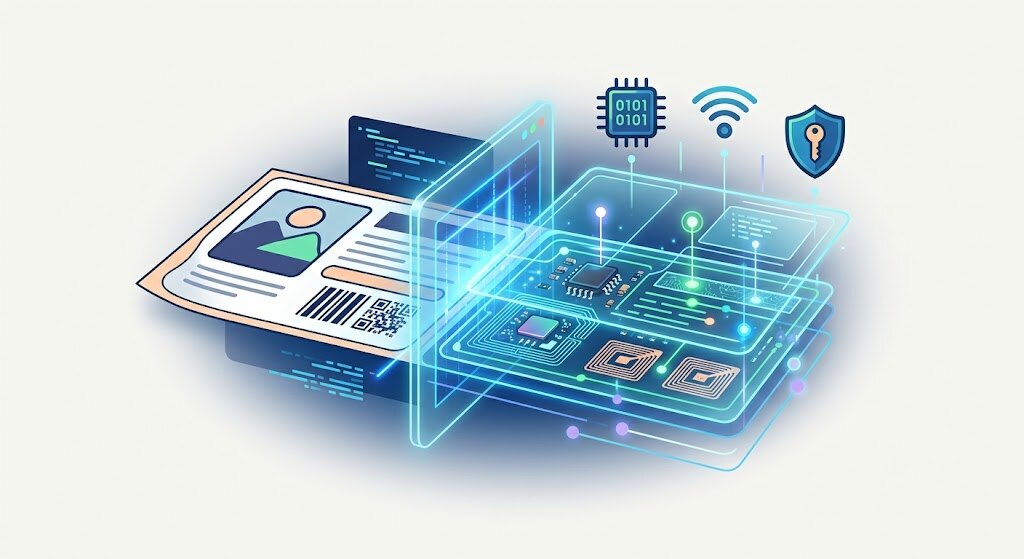
Carrier services can provide robocall blocking, while call blocking apps offer another filtering layer. Before installing anything, compare charges, contact access, and privacy terms. Some applications access your contacts, so assess that tradeoff instead of assuming a bigger permission request means stronger protection.
STIR/SHAKEN operates within compatible internet-based voice networks. Originating providers digitally sign caller ID information, and other providers validate it as calls travel between networks. This helps authenticate number information; it does not establish that a caller’s story, sales pitch, or payment request is honest. Older network technology can also interrupt authentication.
More technically, SIP means Session Initiation Protocol, which helps establish internet-based calls. Authentication adds signed information to this signaling. Downstream providers use public keys to validate signatures before the call reaches you. That is a number check within the network, not an endorsement of the caller’s intentions or requested payment.
Even people who never sign up for spam calls need independent checks. A reassuring call label should not replace contacting a business through a verified channel.
Prevent New Exposure and Report Persistent Problems
Before submitting a telephone number online, examine marketing permissions and the business’s information sharing policy. Decline optional promotions you do not want. The FCC recommends reviewing privacy policies and looking for opt-out choices before providing your number.
Never use another person’s details to sign up for spam calls as retaliation. If “how to sign someone up for spam calls” describes what someone did to you, preserve evidence and concentrate on protection instead.
U.S. consumers can report illegal calls and texts through the FCC’s complaint process. Include relevant information about spoofing, blocking, or incorrect labeling where applicable. A complaint is an enforcement channel, not a guarantee that every unwanted contact will immediately disappear.
Conclusion
A quieter phone comes from several sensible protections working together. Screen unfamiliar callers, verify unexpected requests, report suspicious messages, and limit unnecessary marketing permission. If searching “sign up for spam calls” brought you here, make the next step protective: adjust one setting, review one subscription, or contact your carrier. Choose controls you understand, and keep legitimate callers reachable while making unwanted interruptions less welcome.
Frequently Asked Questions
Can I register a business telephone number?
The FTC says the registry covers personal numbers, not business telephone numbers or fax lines. Businesses should discuss suitable filtering services with their telephone provider rather than relying on personal registration.
Can I add several household numbers together?
Yes. Online registration accepts up to three numbers at a time. For additional numbers, repeat the process. Telephone registration requires calling from each number you want to add.
Are charitable calls automatically prohibited after registration?
No. FTC rules permit charitable calls despite registration. Receiving one does not, by itself, establish a registry violation; registration is not a blanket prohibition on every organization contacting you.
Will Google notify me about every filtered call?
Not necessarily. With Google’s Filter spam calls option, missed-call and voicemail notifications are suppressed. Filtered calls remain in call history, and voicemail can still be checked manually.
What if I paid a caller using gift cards?
Contact the gift card issuer promptly, explain the scam, and request a refund. Preserve the card and purchase receipt. The FTC recommends asking, although recovering your money is not guaranteed.
